GoodBarber
  • Prezzi
LoginCrea un'app
  • TENDENZE PRINCIPALI DELLE APP
  • eCommerce
  • Sistemi di abbonamento
  • Chatbot
  • Corsi online
  • Prenotazione online
  • Guida turistica
  • Eventi
  • Creatori di contenuti
  • Consegna locale e Ritiro in negozio
  • GLI ESSENZIALI
  • Giornale
  • Radio
  • Scuole e università
  • Fede
  • Organizzazioni
  • Ristorante
  • Alimentari
  • Costruisci l'app su misura
  • Comunicazione con i dipendenti
  • GoodBarber per i RivenditoriHai un'agenzia e vuoi rivendere le nostre soluzioniScopri l'offerta
  • Sviluppo personalizzatoGoodBarber costruisce l'app che si adatta alle esigenze della tua azienda.Richiedi un preventivo
Scopri tutte le soluzioni
  • APP BUILDER SENZA CODICE
  • App di contenuti
  • App per l'e-commerce
  • Extensions Store
  • Il dashboard ideale
  • Creazione assistita dall'IA
  • Server MCP
  • TECNOLOGIA
  • App nativa (iOS e Android)
  • Progressive Web App
  • Design system
  • Sviluppatori
  • GoodBarber logoPERCHÉ GOODBARBER?
  • DNA GoodBarber
  • GoodBarberheart emojiDesign
  • App builder senza codice
  • Riservatezza e conformità
  • RISORSE DEL PRODOTTO
  • Blog
  • GoodBarber Academy
  • Tutorial video
  • FAQ
  • Aggiornamenti e pubblicazioni
  • Aiuto online
  • TEMI
  • Come creare un'app
  • Come testare un'app con TestFlight
  • Come creare un account Google Developer
  • Come convertire un file excel in un'app
  • App builder: crea splendide app mobili senza programmare
  • Supporto eccezionaleVeri e propri esperti sono al tuo fianco in ogni fase della creazione della tua applicazione mobileScopri
  • resellerRIVENDITORI DI APP
  • Programma rivenditori
  • Come vendere un'app?
  • Testimonianze dei rivenditori
  • Blog rivenditori
  • compassSCOPRI
  • Usare un app builder per vendere app
  • Scarica la nostra guida per le agenzie
  • I consigli di marketing di Apple e Google per vendere i loro prodotti e servizi
  • GBTC: pubblica la tua app facilmenteScopri GoodBarber Takes Care e semplifica il processo di pubblicazione delle app su App Store e Google Play. Lasciaci gestire i dettagli tecnici per te.Per saperne di più su GBTC

Design System

Overview
  • Foundations
    • Layout
      • Grid
      • Spacing
      • Breakpoints
      • Layers
    • Graphic elements
      • Color
      • Typography
      • Images Aspect Ratios
      • Icons
  • Atomic Components
    • Color atom
    • Font atom
    • Image atom
    • Gradient atom
    • Shape atom
    • Shadow atom
    • Size atom
    • Border atom
    • Blur atom
    • Overlay atom
    • Immersive feedback atom
  • UI Elements
    • Action
    • DateBullet
    • Distance
    • Duration
    • Item
    • Item Icon
    • Item Indicator
    • Item Label
    • Media
    • Pager
    • Play
    • Player
  • UI Components
    • Background
    • Text Field
    • Dropdown
    • Date & Time Picker
    • Checkboxes & Radio Button
    • Button
    • Thumbnail
    • Form
    • TabBar
UI Elements icon

UI Elements

UI elements are the building blocks of our components. Each element combines atoms of the design system to do a single job. Assembled together, elements form the components of the app.
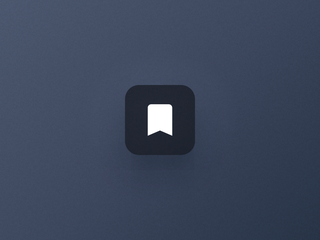
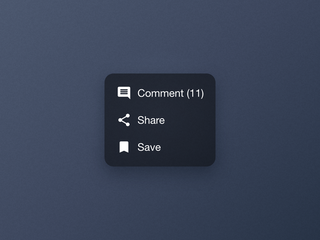
  • An action button with a bookmark icon

    Action

    The contextual button to act on a piece of content.
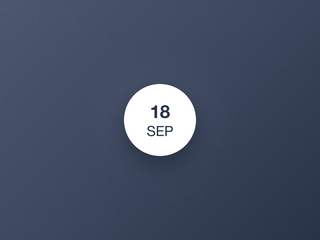
  • A date bullet showing a day and a month

    DateBullet

    The date of an event, at a glance.
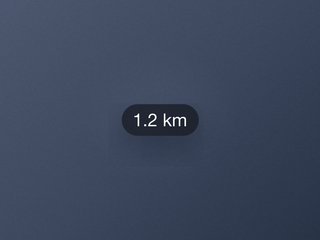
  • A distance label on its own

    Distance

    The label that shows how far a place is.
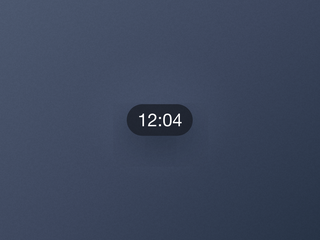
  • A duration label on its own

    Duration

    The label that shows how long a video lasts.
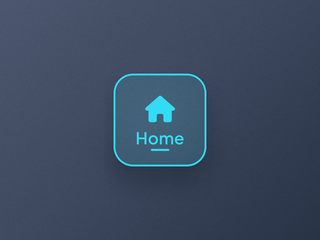
  • An Item and its child elements

    Item

    The structural unit of a navigation entry, with its child elements.
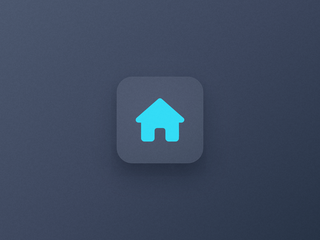
  • The Item Icon and its background layer

    Item Icon

    The pictogram of a navigation entry, on its own background layer.
  • A tiny indicator on its own

    Item Indicator

    The marker of the selected entry of a navigation.
  • An Item Label on its own

    Item Label

    The text of a navigation entry, in three sizes that adapt to each device.
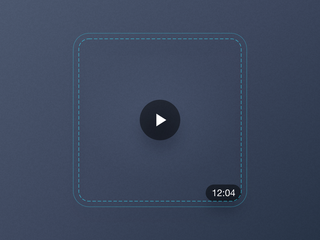
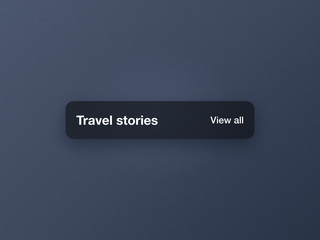
  • A media container holding a play icon and a duration

    Media

    The container that anchors elements over a cell's image.

  • A pager on its own

    Pager

    The dots that show where you are in a carousel.

  • A play icon on its own

    Play

    The icon that signals playable media.
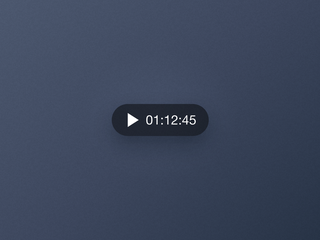
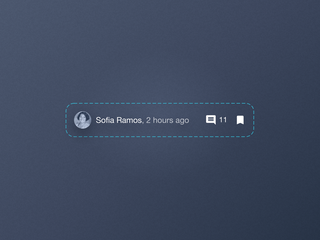
  • A player control with a play icon and a timer

    Player

    The control that plays and pauses audio, right from its cell.
  • AZIENDA
  • Chi siamo
  • Supporto eccezionale
  • DNA GoodBarber
  • Startup Studio
  • Opportunità di lavoro
  • Stampa
  • T&C
  • Politica della privacy e GDPR
  • Contattaci
  • PRODOTTO
  • App per l'eCommerce
  • Creare un'app
  • Creare una PWA
  • Lista delle Estensioni
  • Rivenditori di app
  • Prezzi
  • Feedback degli utenti
  • Sviluppatori
  • Sviluppo personalizzato
  • Glossario
  • ALTERNATIVE
  • GoodBarber vs Adalo
  • GoodBarber vs Bubble
  • GoodBarber vs FlutterFlow
  • GoodBarber vs Glide
  • GoodBarber vs Lovable
  • Vedi tutti i comparativi
  • SOCIAL
  • Facebook
  • Instagram
  • X
  • YouTube
  • Linkedin
  • Threads
  • TikTok

© GoodBarber - Since 2011 - Made in Corsica

  • Lingua
  • en
  • fr
  • it
  • es
  • pt
  • de
  • nl
  • fi
  • sv
  • no
  • da